


- 15 | 08 | 2026
Explore our resources
Support
About the company
Manage Documents in Dynamics 365 – Where the Work Actually Happens

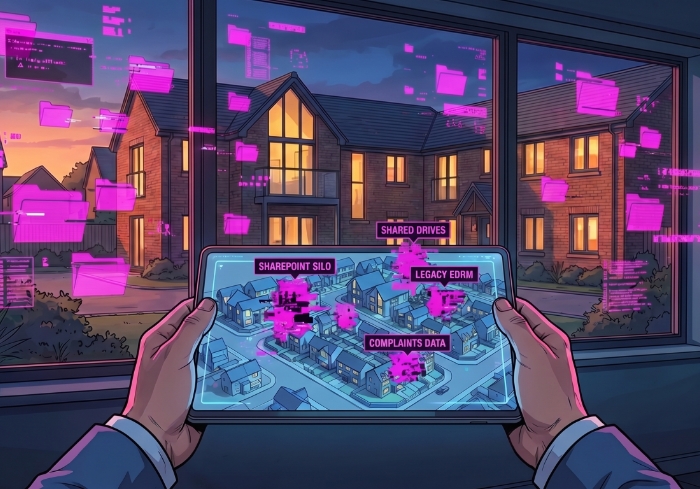
Introduction The great operational divide
Microsoft Dynamics 365 is where housing work happens tenant management, complaints, safeguarding, ASB, and service interactions. Yet for many housing organisations, document and records management still sits elsewhere: legacy EDRM platforms, shared drives, SharePoint, or a fragmented mix of all three.
At FileSmart, we see this separation as one of the biggest barriers to operational efficiency and effective governance.

The problem The challenge: Governance outside the flow of work
When documents are managed outside Dynamics, staff are forced to step out of the system where work actually happens. This creates unnecessary friction:
- Switching between Dynamics, Outlook, SharePoint, and network drives
- Manually downloading, renaming, and re-uploading files
- Filing information retrospectively “when there’s time”
- Saving documents locally or in inboxes as a workaround
- Uncertainty around versions and data accuracy
None of this adds value. It slows teams down and increases risk. This isn’t just a compliance issue, it’s a workflow issue.
the shift The shift: bringing records management into Dynamics with FileSmart
Organisations addressing this challenge successfully aren’t relying on more training or tighter controls. Instead, they are embedding enterprise records management directly into Dynamics 365 with FileSmart.
Governance stops being something users need to remember and becomes something the system does by design.
Documents are captured within the Dynamics record
Filing becomes part of everyday activity, not a separate step
Information is governed and retained automatically
Staff stay focused on the task in front of them

Reducing friction for frontline teams
Frontline housing teams operate in fast-moving, reactive environments. They don’t lack awareness of governance responsibilities, they lack time for additional steps. With FileSmart embedded in Dynamics:
- There’s no need to stop and decide where documents belong
- Information is always in context of the tenant or case
- Users avoid duplicate handling and manual processes
This significantly reduces cognitive load and supports faster, more efficient case handling.
Get in touchVisibility and control One trusted view without leaving Dynamics
Housing work is inherently contextual. Decisions rely on access to correspondence, documentation, notes, and supporting evidence all in one place.
The result is a single, trusted source of information without leaving the system users already rely on.
With FileSmart:
Documents and communications are linked directly to Dynamics records
Everything is accessible within the tenant or case view
Permissions align with Dynamics role-based security

Architecture and design Operational efficiency first. Governance by design.
When records management is embedded into workflows, consistency improves naturally. Organisations benefit from:
- Accurate classification at the point of creation
- Consistent metadata without manual effort
- Reduced duplication and rework
- Cleaner, more reliable information estates
Strong governance becomes the outcome of better design, not enforced behaviour.
Audit and compliance FOI, SAR, and Audit Readiness without the Scramble
Responding to FOI and Subject Access Requests becomes significantly easier when information is stored consistently and in context.
Teams can respond faster and with greater confidence, without having to search across multiple systems under pressure. With FileSmart:
Records are already linked to relevant cases or residents
Search results are complete and defensible
Audit trails are automatically generated
Protecting sensitive information by design
Housing organisations manage highly sensitive data, including safeguarding and vulnerability records.
The right people see the right information without relying on parallel systems. FileSmart supports this by:
Aligning access controls with Dynamics security roles
Keeping sensitive information within operational workflows
Supporting secure, auditable record handling

Value and ROI Lower risk. Better use of time.
Embedding records management into Dynamics also reduces operational overhead:
- Less reliance on shared drives and inboxes
- Reduced data sprawl and storage costs
- Fewer compliance risks and remediation efforts
- More time focused on supporting residents
In today’s climate, improving efficiency is just as important as maintaining compliance.
Get in touchThe scalable future A stronger foundation for digital housing services
As housing providers modernise and digital interaction increases, information volumes will continue to grow. FileSmart provides a scalable foundation that supports:
Increasing case volumes
Evolving regulatory demands
Wider digital transformation programmes without adding complexity for end users

Conclusion Where governance is designed to live
Housing organisations don’t struggle with governance because they lack policies. They struggle because governance is often designed outside the systems where work actually happens.
By embedding document and records management directly into Dynamics 365 with FileSmart, organisations can:
- Align governance with real workflows
- Reduce friction for frontline teams
- Improve compliance as a natural outcome
The question is no longer whether governance matters but where it is designed to live.
Take action Build your information future estate
To find out how FileSmart can work for your organisation, get in touch with our team.
Get in touch

- 04 | 08 | 2026
How to choose a corporate whistleblowing platform – questions for compliance leaders
Read How to choose a corporate whistleblowing platform – questions for compliance leaders now